A tennis serve, a golf swing, a basketball jump shot, a gymnast's routine, a horse galloping, a figure skater's spin, or a silly family moment with your cat. Isolate any motion into a single flat photo sequence you can study, print, and share.
Trim the action, crop the frame, key the exact moments that matter, and render a clean grid sized perfectly for YouTube and social thumbnails. All on your device.

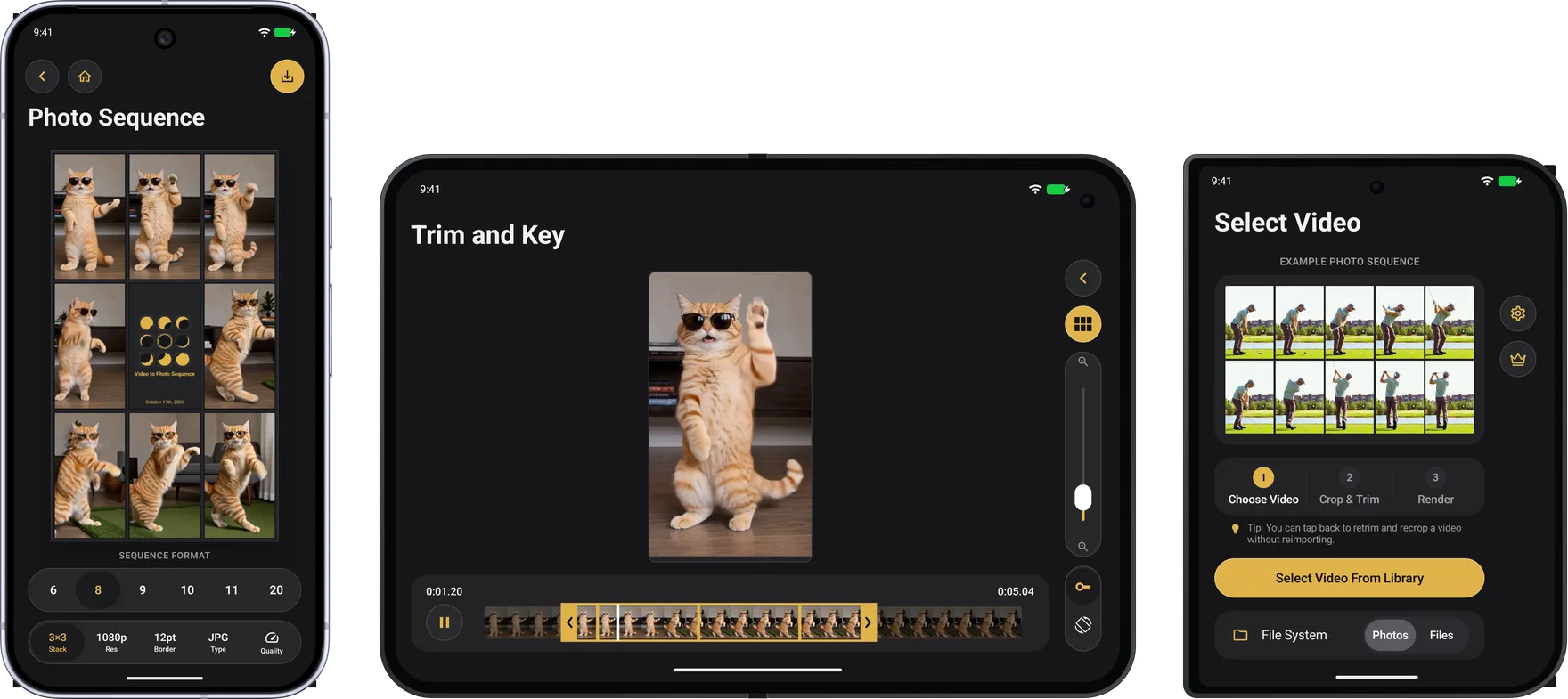
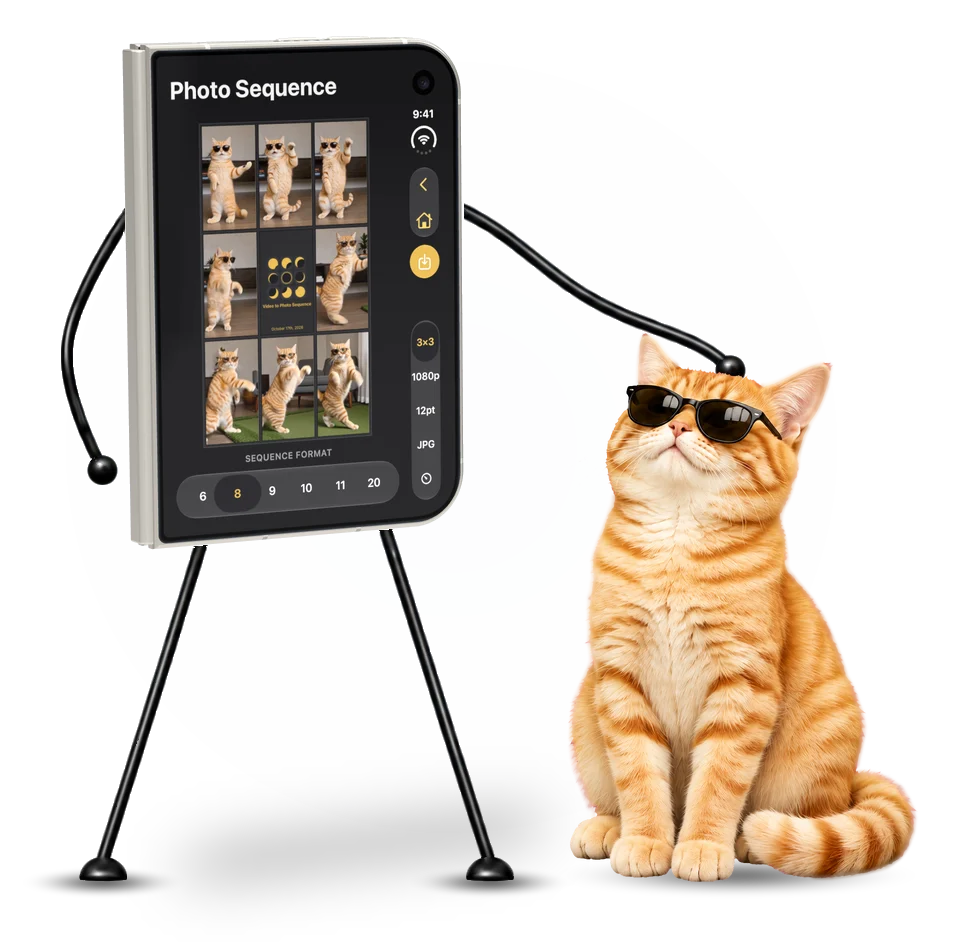
Unfold iPhone Duo for a larger view of your video and finished sequence, with the controls along the right edge.
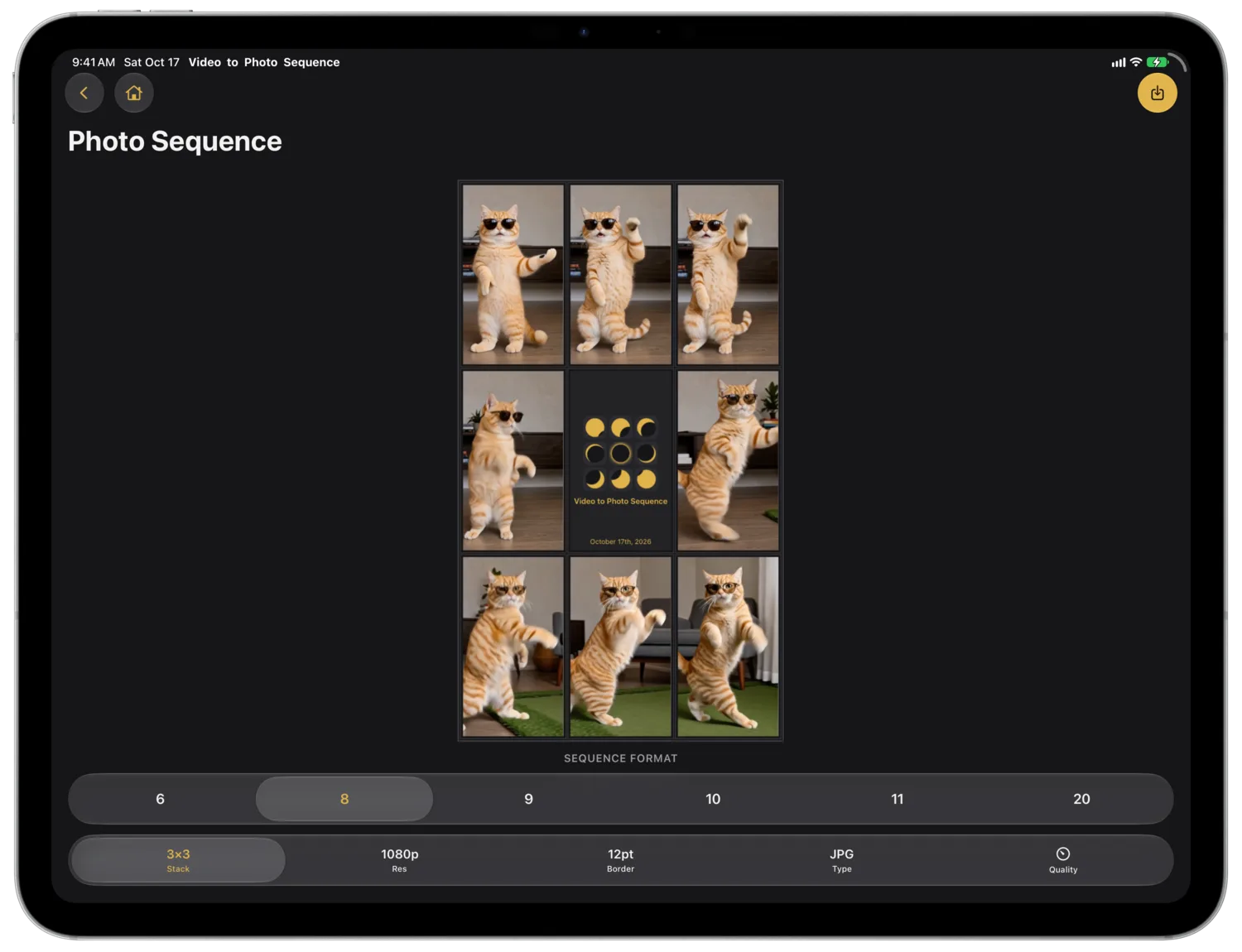
The same tools and grids fit one column on iPhone, with buttons at the top and sequence options along the bottom.
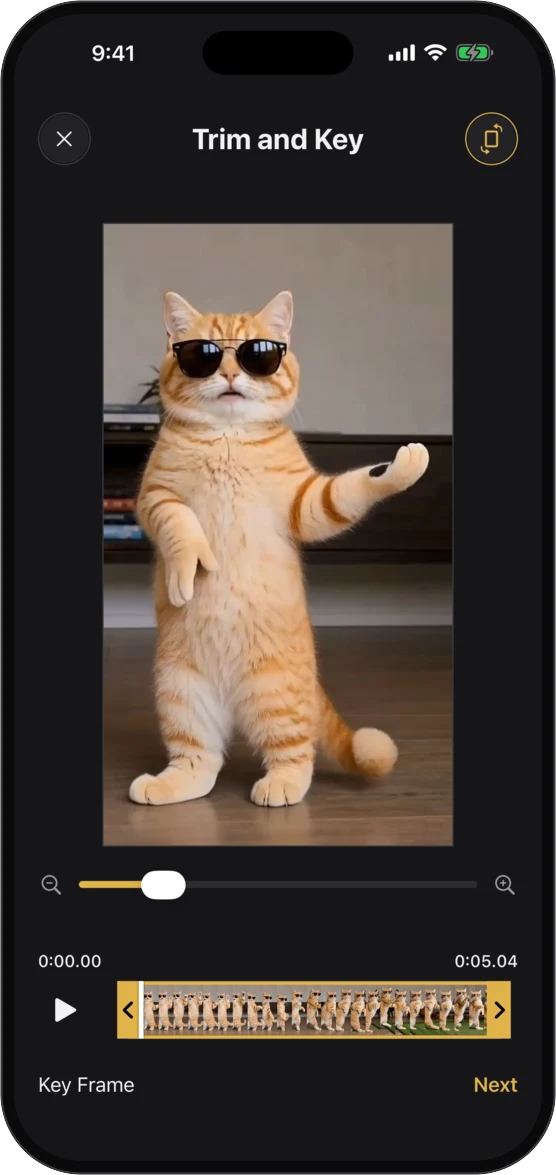
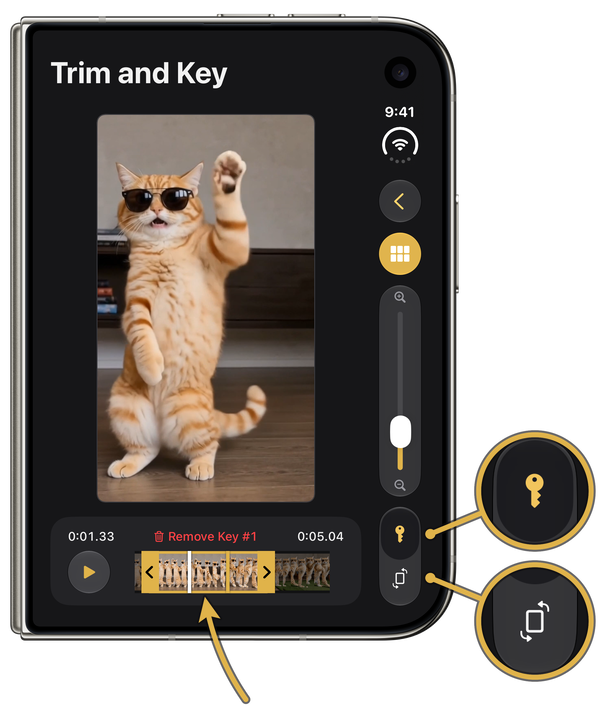
Set up to 20 key frames and every one of them is guaranteed to appear in the sequence. The playhead snaps to your keys, so the instant of contact or the peak of the jump is locked in, never averaged away. The remaining slots fill in evenly between your keys, and if you set no keys at all the app picks every frame evenly across the trimmed clip for you.
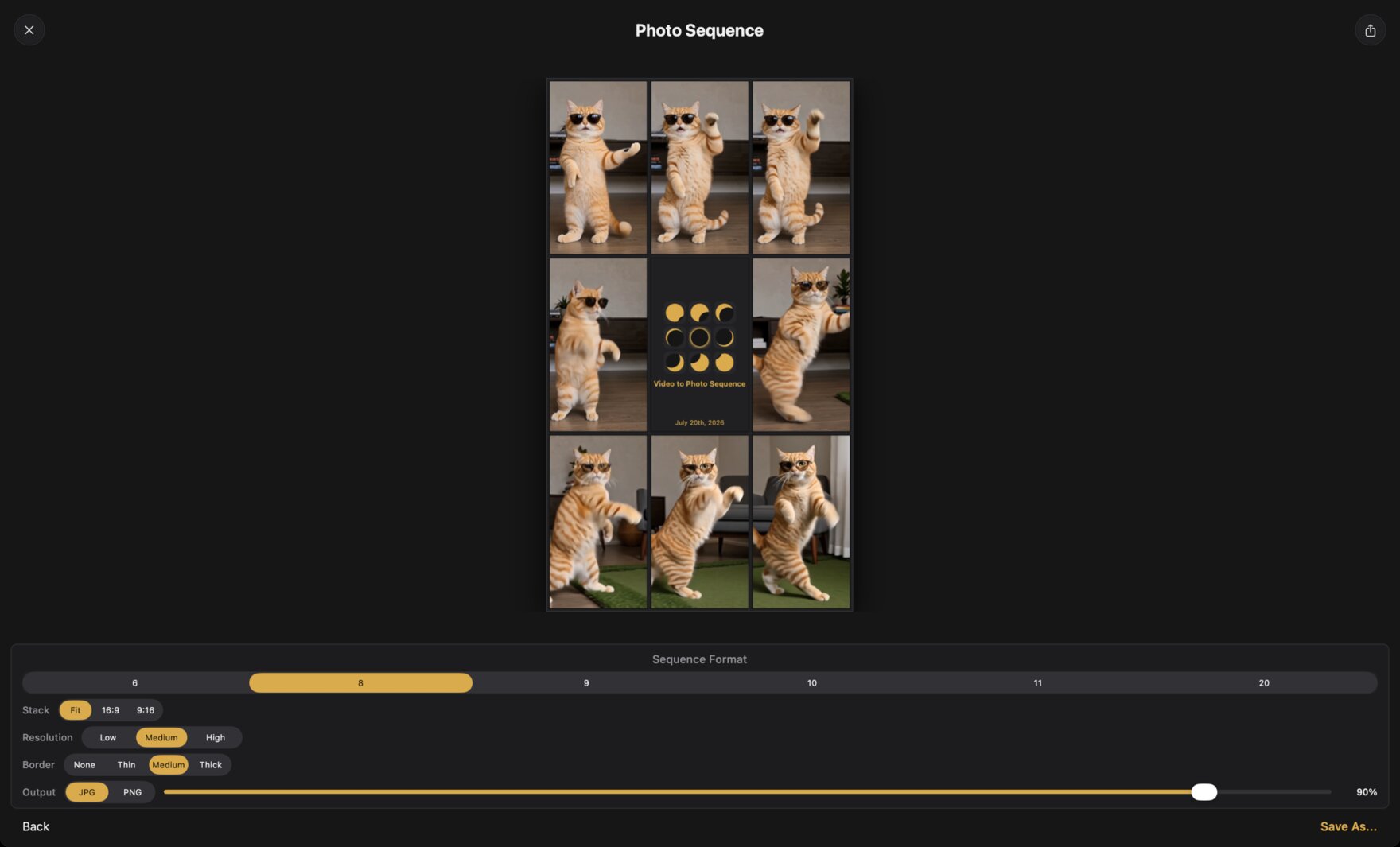
Flip the crop between portrait and landscape, zoom in on the action, and the sequence renders as a clean grid of equal frames. Need a thumbnail? Lock the canvas to 16:9 or 9:16 and the frames adapt to the constraint, sized for YouTube, Shorts, Reels, and TikTok covers.
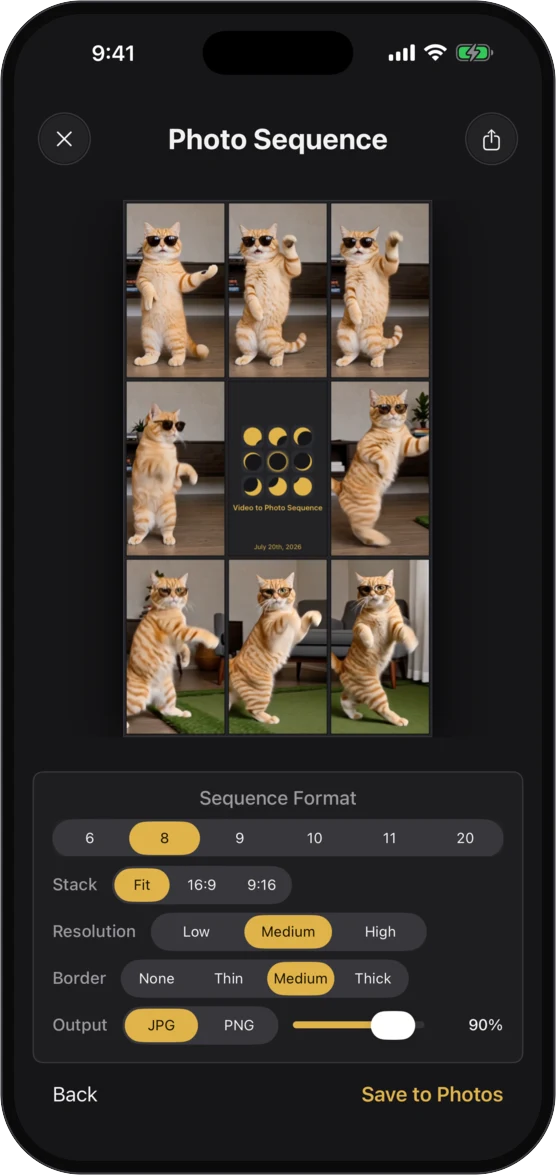
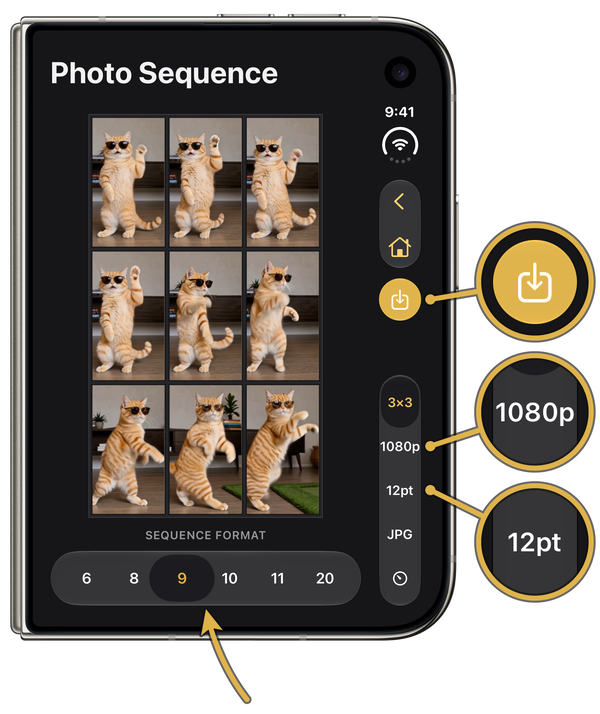
From a tight 2×3 to a wall of twenty frames, switch formats and rerender on the fly. A date stamped layout documents progress over time.
Pinch and drag to frame the action, choose portrait or landscape, and trim to the exact start and end. What you see is precisely what renders, and you can tap back to reedit anytime without reimporting.
Dial the space between frames from gallery mats down to none at all, so the sequence looks right wherever it lands.
Every frame is extracted and rendered entirely on your device. No accounts, no uploads, no data collection. Your footage never leaves your phone.
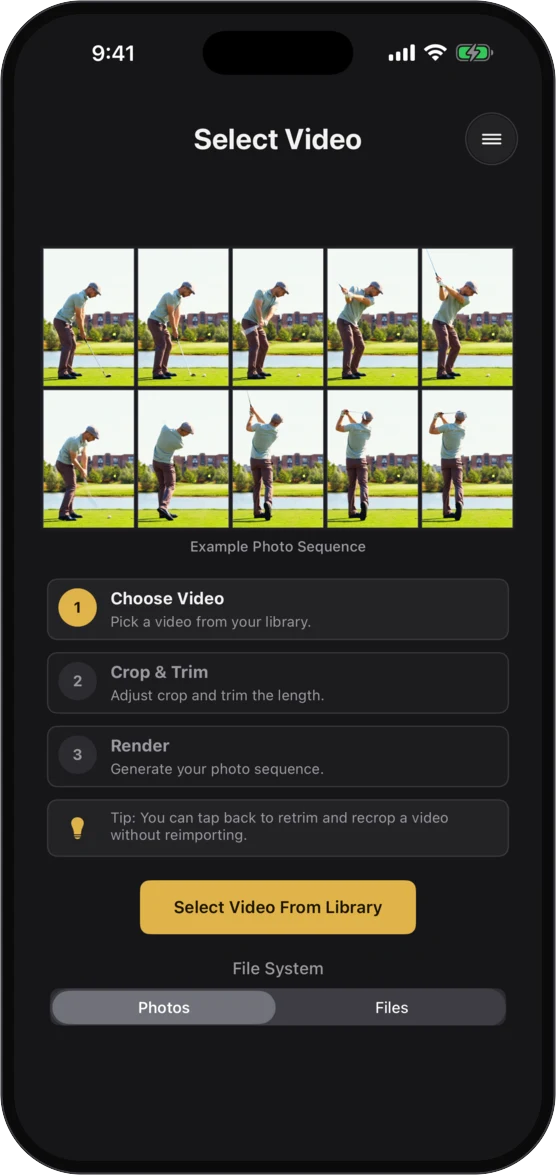
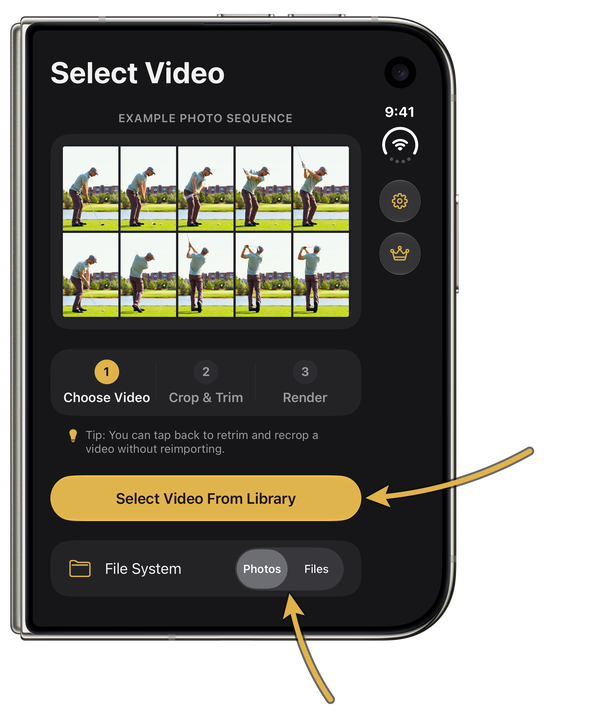
Pick any clip from your photo library or the Files app. Slow motion, regular speed, old footage, new footage. If it plays, it sequences.
Frame the action, flip between portrait and landscape, and set the exact start and end. Drop key frames on the moments that must make the cut, or skip keying and the frames are chosen evenly across your trim.
Pick a grid, a resolution, and a border, and the sequence renders instantly. Save it to your camera roll or share it anywhere in one tap, then rerender in a different format without starting over.
Tip: You can tap back to retrim and recrop a video without reimporting.
Coaches breaking down technique, athletes tracking form, content creators making thumbnails that pop, and anyone who has ever wanted one perfect image of a moving moment.
Turn any swing video into a classic golf swing sequence. Compare setup, top of backswing, impact, and finish side by side, and track changes over a season with the date stamped layout.
Break a tennis serve, forehand, or backhand into its checkpoints. Key the toss, the trophy position, and the contact point to build a serve sequence a student can actually study.
Lay out pitching mechanics and batting swings frame by frame. Key the stride, the release, and the follow through to spot timing changes between sessions.
Freeze a routine, a back handspring, or a stunt into a single image. Perfect for choreography notes, judging feedback, and team posters.
Study a horse's gait stride by stride or a jump from approach to landing. The same works for skateboarding, snowboarding, martial arts, and track and field.
Make YouTube, Shorts, Reels, and TikTok thumbnails that pop, or turn a pet's zoomies and a toddler's first steps into a print worthy grid.
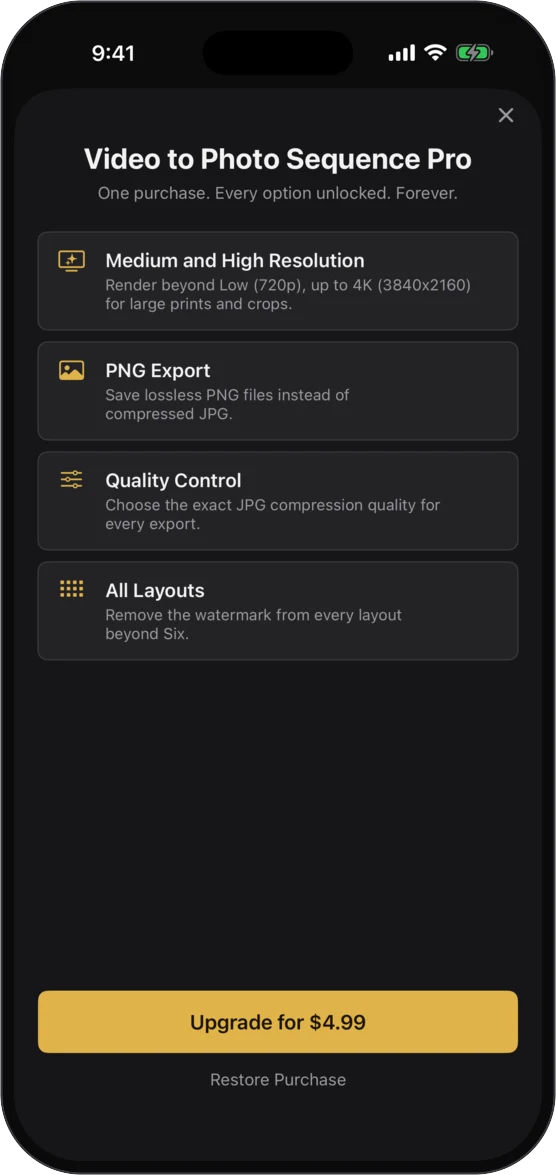
The same app runs everywhere you shoot and edit. Import on iPhone at the field, polish the edit on the iPad's big screen, and render in a resizable window on your Mac. It is one purchase, not three: Pro unlocks on every device signed in to your Apple Account, and Restore Purchases brings it back anytime on a new one.
Our native Android app uses Kotlin and Jetpack Compose, with the same three pages and tools as on iPhone. It runs on phones, tablets and foldables with Android 7.0 or newer, using Xiaomi 18 Fold’s inner display when open and cover display when closed. You buy Pro once in the app through Google Play. Purchases do not transfer between Android and Apple devices.
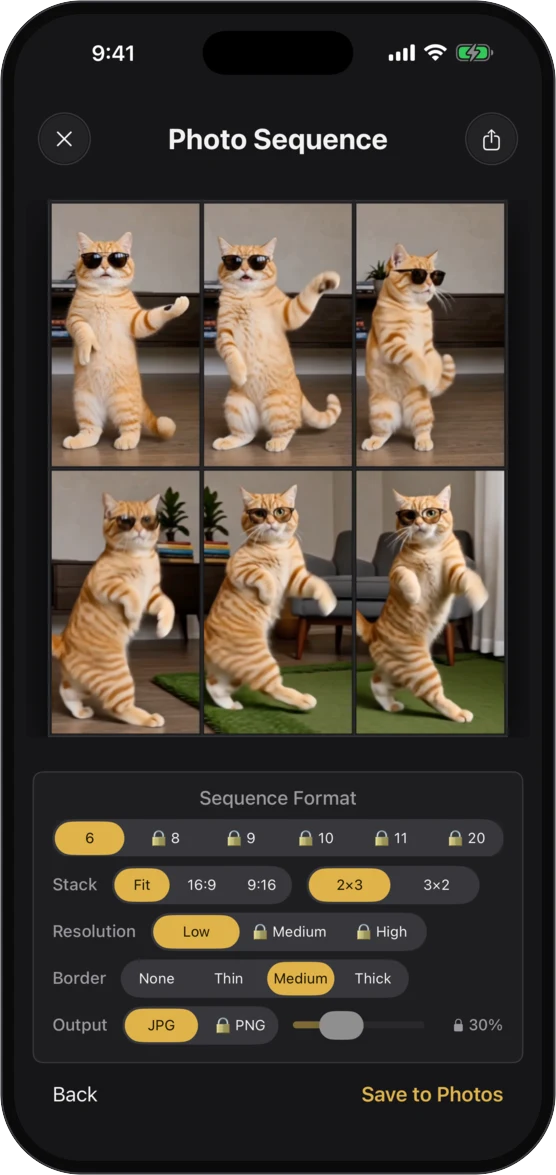
The app is free to download and renders rad sequences from day one with the Six grid at 720p. A single purchase unlocks everything else. Pro follows your Apple Account across iPhone, iPad, and Mac, and purchases on Google Play work across all your Android devices too. Buy it on one device and restore it on the rest. We respect you and don’t do ads on the free version. We don’t even collect telemetry. No Firebase, no analytics. We make money selling apps, not your data.
Video to Photo Sequence is free to download from the App Store for iPhone, iPhone Duo, iPad, and Mac, and from Google Play for Android phones, tablets, and foldables.